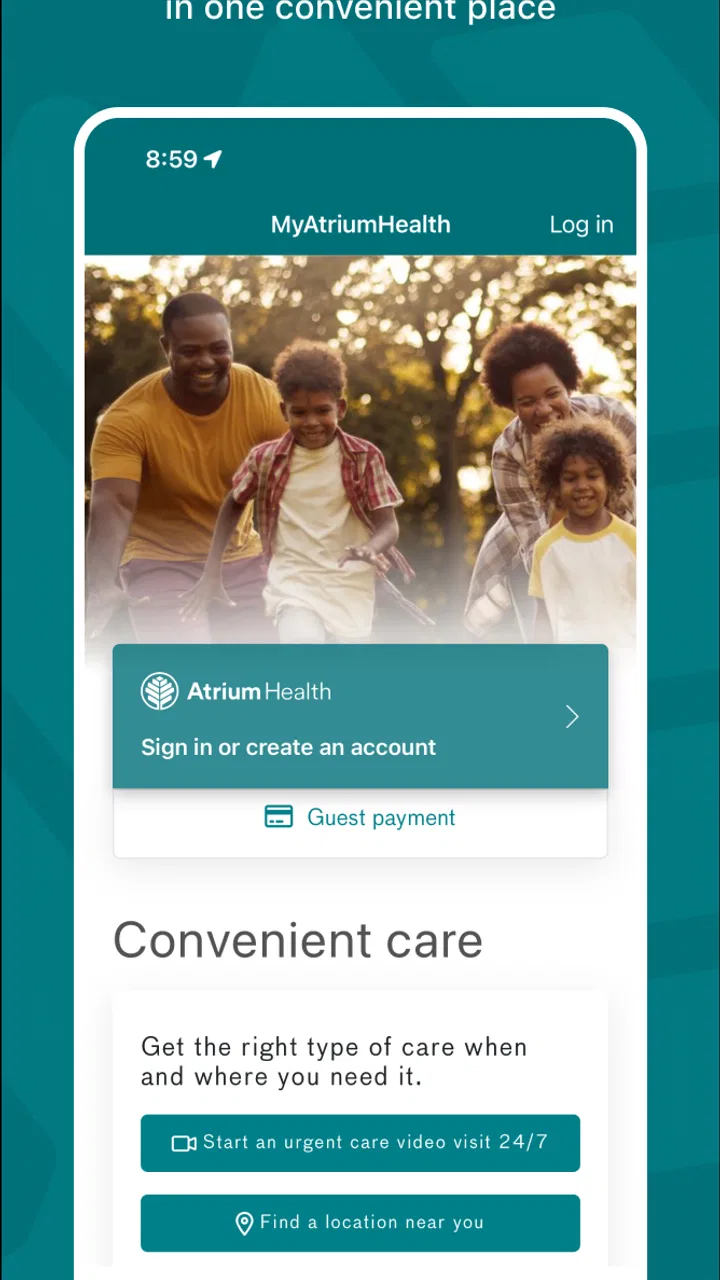
MyAtriumHealth
- 4.4
- Rating
- 500.00K
- Installs
- Free
- Price

 Analysis by App-foxy
When I need to deal with healthcare, the hardest part is often not the appointment itself. It is finding the right information before and after it: remembering what was discussed, checking a result, preparing a question, or keeping track of the next step. MyAtriumHealth is designed to bring those tasks into one mobile place, and after using it, I found its main value comes from reducing the amount of searching and paperwork around care.
This is a free medical app from Atrium Health, aimed at people who want a more direct way to interact with their health information. It is available to an Everyone audience and has been around since July 28, 2011, so it feels more like an established patient tool than a short-lived companion app. The current version is 11.5.5, and it requires at least OS 9.
I would not describe it as a replacement for a doctor, urgent care, or emergency services. Its role is more practical: it helps organize the patient side of an existing healthcare relationship. That distinction matters. If you want medical education, symptom diagnosis, exercise coaching, or a general wellness tracker, this is probably not the app I would choose. If your everyday problem is keeping up with care connected to Atrium Health, it makes considerably more sense.
You May Also Like

 Blood Strike: 2.5 Anniversary
Blood Strike’s Loadouts Turn Every Drop Into a Tactical Gamble
A close look at Blood Strike’s custom loadouts: how fast access to signature weapons reshapes its battle royale rhythm, rewards preparation, and narrows the gap between fights.

 Pandora - Music & Podcasts
Pandora’s Music Is Easy to Start, but Harder to Recover
Pandora’s strength is its low-effort path from a seed to a station. Its weak spot is how much confidence it asks you to place in connection, setup, and quiet recovery.

 8 Ball Pool
 Is Built on Rivalries, Rematches, and Routine
A close look at the rivalries, rematches, shared routines, and unanswered safety questions that turn a quick pool match into a persistent mobile community.

 Samsung Music
’s Quiet Strength Is Playing What You Already Own
Its reach comes less from spectacle than from dependable access to a personal library. That simplicity is both the app’s strongest retention engine and its ceiling.

 AccuWeather: Weather Radar
AccuWeather Review: A Quick, Clear Forecast for Everyday Decisions
For everyday plans, the best forecast is the one you can understand quickly. AccuWeather makes rain timing, radar, and local conditions easy to act on, with a few trade-offs.

 Hill Climb Racing
Why Hill Climb Racing Still Turns Crashes Into One More Run
A tiny car, a bumpy hill and one more upgrade: Hill Climb Racing keeps resurfacing because its simple chaos makes every near-miss feel personal.
More From Our News Desk



From a healthcare question to a clearer next step
When I have a healthcare question, I want to know whether I can find the relevant context before I call or send a message. This section looks at how MyAtriumHealth can help me move from uncertainty toward a more focused next step, while keeping clear when a direct conversation is the better choice. A little preparation can make a routine follow-up easier to explain.
Starting with the situation that usually causes stress
A realistic example is a follow-up after a clinic visit. I leave with several things to remember, perhaps a test that needs checking, a question for the care team, and a future appointment that I do not want to miss. The usual alternative is a mixture of printed papers, email, phone calls, and notes in a calendar. That approach can work, but the information becomes scattered quickly.
MyAtriumHealth is useful when the first condition is simple but annoying: I know I have healthcare information somewhere, but I do not want to search through several channels to find it. Opening the app gives me a patient-focused starting point rather than a general medical website. That makes the experience feel less like browsing and more like moving through a personal task list, even when the underlying healthcare process is still complex.
Its appeal is reflected in its 4.2 average from around 1.7 thousand ratings, with more than 100 thousand installs. Those figures suggest a substantial group of people use it for ongoing access rather than treating it as a one-time download. I also appreciate that it is free, because a patient portal should not add a separate purchase decision to an already important healthcare task.
Checking information before contacting anyone
My first practical habit with an app like this is to check the existing information before calling a clinic. I can look for the detail I need, identify whether the issue is something already documented, and then decide whether a message or phone conversation is actually necessary. That small change can make a handoff more precise: instead of saying, “I am not sure what happened,” I can refer to the specific visit, result, or instruction that prompted my question.
This is one of the less obvious strengths of a connected health app. It does not merely save time by putting information on a screen. It can improve the quality of the conversation that follows. When I have the relevant context in front of me, I am less likely to send a vague request or repeat information the care team already has.
There is also a useful preparation workflow here. Before an appointment, I would review recent information, write down the points I want to raise, and keep the app available during the visit if I need to refer back to something. I would not rely on memory alone, especially when the appointment concerns several symptoms or a change in treatment. The app becomes a quiet checklist for the patient rather than another source of medical noise.
Moving from self-service to a care-team handoff
The important handoff happens when I stop looking and need another person to act. A patient portal is most valuable at that point if it preserves enough context for the request to reach the right place. MyAtriumHealth gives me a more organized route into the Atrium Health relationship than leaving a voicemail with incomplete details or sending a general message through an unrelated channel.
I still need to be realistic about the boundary. Sending a request through a healthcare app does not mean the response is immediate, and it does not turn a non-urgent question into an emergency service. If I had a serious or rapidly worsening symptom, I would not wait for a portal response. For routine clarification, follow-up communication, or administrative coordination, however, the digital handoff is much more sensible than trying to reconstruct the entire situation over the phone.
A good tip is to write the request as if another person will read it without hearing my voice. I would include the reason for contacting the team, the relevant appointment or issue, what I have already checked, and the answer I need. That reduces back-and-forth and makes the app more useful than simply typing a short sentence such as “Please call me.” The tool cannot fix an unclear request, but it gives me a better place to make one.
Following the thread after the appointment
The outcome of a medical visit is rarely finished when I walk out of the building. There may be results to review, instructions to remember, or another appointment to arrange. This is where having information gathered in one patient-facing location becomes more valuable than a single visit reminder.
I found the strongest use case is continuity. I can return to the same app when I am no longer sitting in front of a clinician and need to reconstruct what happened. That is especially helpful when a family member asks what the doctor said, when I need to prepare for another appointment, or when I want to make sure I have not overlooked the next action.
Another non-obvious benefit is that it can help separate “information I should review” from “action I should take.” I might see something that answers my question immediately, while another item tells me that I need to contact the care team. Treating those as different categories keeps me from sending unnecessary messages and also prevents me from assuming that reading a record means the whole process is complete.
Where the smooth workflow breaks
The app cannot remove every source of friction. Healthcare records are created by different people and systems, and the patient experience may still depend on how quickly information is entered or how a clinic handles communication. If I expect every part of care to update instantly or every issue to be resolved inside the app, I am likely to be disappointed.
There is also a learning curve that comes from the seriousness of the subject. A portal may contain information that is difficult to interpret without clinical context. I would avoid treating a result or note as a diagnosis simply because it appears on my screen. The convenient access is helpful, but it also means I need to read carefully and ask the care team when something is unclear.
People who rarely use Atrium Health services may not gain much from installing it. The app is not a broad medical reference library, and it is not the best choice for someone who wants a general symptom checker or a standalone medication organizer. Likewise, anyone who prefers handling all healthcare matters by phone may find the extra login and digital steps unnecessary.
How it compares with the usual alternatives
The most obvious alternative is a browser-based patient portal. A website can offer similar access, especially on a computer, and may feel better when I need to read a large amount of information or type a long message. MyAtriumHealth has the advantage of being closer at hand when I am away from a desk and need to check something during a normal day.
Phone calls remain better for urgent clarification, complicated conversations, or situations where I need immediate human guidance. They are also more forgiving when I am unsure which department should handle a question. The app is better when I want a written trail and the issue is routine enough to wait for the normal response process.
General health apps are a different category altogether. They may track exercise, symptoms, sleep, or medication habits, but they do not serve the same purpose as a provider-connected patient tool. I would use MyAtriumHealth for care-related information and communication, then use a separate wellness app if I wanted broader personal tracking. Trying to make one replace the other would create the wrong expectations.
Small habits that make the app more useful
I would begin by opening the app before I actually need it. Setting up access during a calm moment is easier than trying to do it from a waiting room or while dealing with a stressful health question. Once access is ready, I would take a brief tour of where information and communication tools are located, so the first real use is not spent searching.
Before each appointment, I would keep a short list of questions and compare it with the information already available. During follow-up, I would check whether the answer is already present before sending a new request. Afterward, I would record my own plain-language summary separately if the instructions are important. This last step is valuable because a portal can preserve clinical information, but my personal reminder can make the next action easier to remember.
I would also treat notifications and visible updates as prompts to review, not as proof that everything is resolved. A new item may require interpretation, a reply, or a phone call. That mindset prevents the common mistake of confusing access with understanding. The app helps me reach the information; I still have to decide what the information means in the context of my care.
Who should use it and who should skip it
I would recommend MyAtriumHealth to Atrium Health patients who want a central place for their healthcare information and routine care communication. It is particularly suitable for people managing recurring appointments, follow-ups, or several small questions that are easy to forget between visits. Caregivers may also find a patient portal useful when they are helping someone stay organized, provided they use it in an appropriate and authorized way.
I would skip it if my main goal were fitness tracking, medical research, diagnosis, or emergency assistance. I would also choose a phone call when the matter is urgent, emotionally complicated, or too nuanced to explain comfortably in a message. The app works best as part of a care workflow, not as the entire workflow.
My final take after following the full workflow
MyAtriumHealth succeeds because it addresses a very ordinary problem: healthcare information is easier to use when it is available in the same place where I return for follow-up. From checking a detail, to preparing a question, to handing that question to the care team, to reviewing what happens next, the app supports a sensible patient journey.
Its limitations are equally important. It cannot guarantee instant responses, explain every medical result, or replace urgent human help. The experience depends on the surrounding healthcare process, and I still need to read carefully and take responsibility for the next step.
For an Atrium Health patient, I think the free installation is worth considering because the benefit is practical rather than flashy. The best reason to use MyAtriumHealth is not that it puts healthcare on a phone; it is that it can make the handoff between “I need to know something” and “I know what to do next” less messy. That is a modest goal, but in everyday healthcare, it is a genuinely useful one.
FAQs for MyAtriumHealth
01What is MyAtriumHealth and what features does it offer?
MyAtriumHealth is a comprehensive healthcare management app designed to provide users with secure access to their medical information. It offers features like appointment scheduling, access to test results, prescription refills, and communication with healthcare providers. The app also includes health tracking tools to help users monitor their wellness and manage their health effectively.
02Is MyAtriumHealth available for both Android and iOS devices?
Yes, MyAtriumHealth is available for download on both Android and iOS platforms. Users can find the app on the Google Play Store for Android devices and the Apple App Store for iOS devices. Ensure your device meets the minimum system requirements for optimal performance.
03How secure is my personal health information on MyAtriumHealth?
The security of your personal health information is a top priority for MyAtriumHealth. The app employs advanced encryption technologies to protect your data. Additionally, it complies with HIPAA regulations to ensure that your sensitive health information is secure and accessible only by authorized personnel.
04Can I manage multiple family members' health information on MyAtriumHealth?
Yes, MyAtriumHealth allows users to manage multiple family members' health information within the app. This feature is particularly useful for parents or caregivers who need to track appointments, prescriptions, and medical records for their dependents, providing a centralized platform for family health management.
05What should I do if I encounter issues using MyAtriumHealth?
If you experience any issues while using MyAtriumHealth, the app provides a help section with troubleshooting tips and FAQs. Additionally, users can contact the support team directly through the app or via the official website for personalized assistance. Prompt customer support is available to resolve any technical difficulties.
Pros
- User-friendly interface for easy navigation.
- Secure messaging with healthcare providers.
- Access to test results promptly.
- Appointment scheduling is straightforward.
- Health records are well-organized.
Cons
- Limited to Atrium Health network users.
- Occasional app crashes reported.
- Some features require internet access.
- Notifications can be inconsistent.
- Limited customization options.

MyAtriumHealth
Gallery